10 Best Cursor Alternatives in 2026: AI Code Editors That Actually Deliver
Looking to switch from Cursor? We tested 10 AI coding tools — from Claude Code and Windsurf to Zed and Kilo Code — and ranked them by agentic power, pricing, context handling, and real-world developer experience.
Mục lục
- Why Developers Are Leaving Cursor in 2026
- 1. Claude Code — Best Overall Alternative
- Why switch from Cursor to Claude Code?
- Claude Code in action: Refactoring a React component
- Pricing
- 2. Windsurf — Best Drop-in Cursor Replacement
- Why switch from Cursor to Windsurf?
- Windsurf workflow: Building a form component
- 3. GitHub Copilot — Best for Teams and GitHub Workflows
- Why switch from Cursor to Copilot?
- 4. Zed — Best Lightweight, Open-Source Option
- Why switch from Cursor to Zed?
- 5. Antigravity (Google) — Best for Multi-Agent Workflows
- Why switch from Cursor to Antigravity?
- 6. JetBrains AI Assistant — Best for IntelliJ/WebStorm Users
- Why switch from Cursor to JetBrains AI?
- 7. Kilo Code — Best Open-Source, Model-Agnostic Alternative
- Why switch from Cursor to Kilo Code?
- 8. OpenAI Codex — Best for Cloud-Native Autonomous Tasks
- Why switch from Cursor to Codex?
- 9. Replit — Best for Beginners and Rapid Prototyping
- Why switch from Cursor to Replit?
- 10. Amazon Q Developer — Best for AWS-Native Development
- Why switch from Cursor to Amazon Q?
- Head-to-Head: Feature Comparison Matrix
- Common Mistakes When Switching from Cursor
- 1. Expecting identical workflows
- 2. Ignoring context setup
- 3. Not leveraging unique features
- 4. Switching cold turkey
- 5. Forgetting to migrate your prompt patterns
- Which Alternative Should You Pick?
- FAQ
- Is Cursor still worth paying for in 2026?
- Can I use multiple AI coding tools at the same time?
- What's the best free alternative to Cursor?
- Is Claude Code better than Cursor for large codebases?
- Will switching from Cursor slow down my workflow?
- Where Cursor is still the right call (honest take)
TL;DR: If you're looking to move away from Cursor in 2026, Claude Code is the best alternative for agentic, terminal-first workflows. Windsurf is the closest drop-in replacement with better context memory. GitHub Copilot remains the safest bet for teams already in the GitHub ecosystem. Below, we test and rank 10 alternatives so you can pick the right one for your stack.
| Tool | Best For | Pricing (2026) | Context Window | Verdict |
|---|---|---|---|---|
| Claude Code | Agentic coding, large codebases | $20/mo (Pro) / $100 (Max) | 1M tokens | ⭐ Best overall |
| Windsurf | Drop-in Cursor replacement | $15/mo Pro | Full project | ⭐ Best for Cursor migrants |
| GitHub Copilot | Teams, GitHub workflows | $10/mo (Individual) | Per-file + repo | ⭐ Best for teams |
| Zed | Speed, open-source | Free (BYOK) | Model-dependent | Best lightweight option |
| Antigravity | Google/GCP developers | Free (preview) | Gemini 2.5 Pro | Best for multi-agent |
| JetBrains AI | JetBrains IDE users | $10/mo add-on | Per-project | Best for IntelliJ/WebStorm |
| Kilo Code | Open-source, model-agnostic | Free (BYOK) | Model-dependent | Best BYOK option |
| OpenAI Codex | Cloud-native autonomous tasks | $20/mo (Plus) | Codex-specific | Best for OpenAI users |
| Replit | Beginners, rapid prototyping | Free / $25/mo Pro | Full project | Best for learning |
| Amazon Q Developer | AWS-native development | Free / $19/mo Pro | Per-file + AWS | Best for AWS teams |
Why Developers Are Leaving Cursor in 2026
Cursor changed the game when it launched as the first truly AI-native IDE. But in 2026, the landscape has shifted dramatically. Developers are switching for several key reasons:
- Pricing frustration: Cursor Pro at $20/month feels steep when competitors offer similar features for less — or free with BYOK models
- Context limitations: Despite improvements, Cursor still struggles with very large monorepo codebases compared to tools like Claude Code
- Resource consumption: Cursor's Electron-based architecture can be sluggish on lower-end machines, especially with large projects
- Vendor lock-in: You're tied to Cursor's model selection and pricing tiers, while open-source alternatives let you bring any model
- Workflow mismatch: Some developers prefer terminal-first, cloud-first, or browser-based workflows that Cursor doesn't support
Whether you're a solo developer looking to cut costs, a team evaluating enterprise options, or just curious about what else is out there — here are the 10 best Cursor alternatives we've tested in 2026.
1. Claude Code — Best Overall Alternative
Claude Code by Anthropic isn't just an alternative to Cursor — it's a fundamentally different paradigm. Instead of an IDE with AI bolted on, Claude Code is an agentic coding system that reads your entire codebase, plans multi-file changes, executes them, runs tests, and iterates on failures.
Why switch from Cursor to Claude Code?
- 1 million token context window — Claude Code can analyze your entire project in one shot, not just the open file
- Terminal-native workflow — No IDE overhead; works from your existing terminal
- Background Agents — Spawn multiple agents to work on different parts of your codebase in parallel
- Agent Skills (SKILL.md) — Teach Claude Code your team's specific deployment playbooks and coding conventions
- Deep reasoning — Powered by Opus 4.6, it doesn't just pattern-match; it genuinely reasons through architectural decisions
Claude Code in action: Refactoring a React component
# Ask Claude Code to refactor a component with tests
claude "Refactor the UserDashboard component to use React Server Components.
Split the data-fetching logic into a server component and keep
interactive elements in a client component. Add unit tests for both."
Claude Code will analyze your existing component, understand the data flow, create the server/client split, update imports across your project, and write comprehensive tests — all in one command.
# Multi-agent workflow for large refactors
claude "Create a background agent to migrate all API routes from
Pages Router to App Router format. Run tests after each migration."
Pricing
Claude Pro ($20/month) gives you solid usage. Claude Max ($100/month) unlocks heavy agentic usage with background agents. For teams, Anthropic offers enterprise pricing with admin controls.
Verdict: If you want the most capable AI coding brain available and don't mind working from the terminal, Claude Code is the clear winner. It handles complex multi-file refactors that Cursor simply can't match.
2. Windsurf — Best Drop-in Cursor Replacement
Formerly known as Codeium, Windsurf is the closest thing to Cursor's experience with some key improvements. It's a VS Code fork (like Cursor), but with a focus on persistent context memory — it remembers your project across sessions.
Why switch from Cursor to Windsurf?
- Cascade Engine — Remembers project context across sessions; no re-explaining your codebase every time
- Supercomplete — Tab completions pull from your entire workspace, not just the current file
- Unified context — Terminal, browser, and editor share a single context, reducing friction
- Lower price — Pro plan at $15/month vs. Cursor's $20/month
- Cleaner UI output — Many developers report Windsurf generates cleaner, more polished code for frontend work
Windsurf workflow: Building a form component
// Ask Windsurf to generate a multi-step form with validation
// Windsurf remembers your project uses React Hook Form + Zod

import { useForm } from 'react-hook-form';
import { zodResolver } from '@hookform/resolvers/zod';
import { z } from 'zod';

const checkoutSchema = z.object({
  email: z.string().email('Invalid email address'),
  cardNumber: z.string().regex(/^d{16}$/, 'Must be 16 digits'),
  expiry: z.string().regex(/^d{2}/d{2}$/, 'Format: MM/YY'),
  cvv: z.string().regex(/^d{3,4}$/, 'Must be 3-4 digits'),
});

type CheckoutForm = z.infer<typeof checkoutSchema>;

export function CheckoutStep() {
  const { register, handleSubmit, formState: { errors } } = useForm<CheckoutForm>({
    resolver: zodResolver(checkoutSchema),
  });

  const onSubmit = async (data: CheckoutForm) => {
    const response = await fetch('/api/checkout', {
      method: 'POST',
      headers: { 'Content-Type': 'application/json' },
      body: JSON.stringify(data),
    });
    // Windsurf auto-generates error handling based on your API patterns
  };

  return (
    <form onSubmit={handleSubmit(onSubmit)} className="space-y-4">
      {/* Windsurf generates fields matching your design system */}
    </form>
  );
}
Verdict: If you love Cursor's IDE experience but want better context retention and a lower price, Windsurf is your move. The Cascade engine's memory is genuinely impressive.
3. GitHub Copilot — Best for Teams and GitHub Workflows
GitHub Copilot remains the most widely-adopted AI coding assistant in 2026. It's not the most powerful agentic tool, but its deep integration with GitHub's ecosystem makes it indispensable for many teams.
Why switch from Cursor to Copilot?
- Native GitHub integration — PR reviews, issue resolution, and CI/CD assistance built-in
- Agent Mode — Can now research bugs, write fixes, run tests, and iterate
- Works in your existing IDE — VS Code, JetBrains, Vim/Neovim — no new editor to learn
- Free for students and OSS maintainers
- Enterprise-grade security — Code never used for training, SOC 2 compliant
// Copilot Agent Mode: Fix a bug from a GitHub issue
// Just reference the issue number in chat:
// "Fix #234 - the pagination component resets to page 1 on filter change"

// Copilot will:
// 1. Read the issue and linked code
// 2. Identify the state management bug
// 3. Generate a fix like this:

function useFilteredPagination<T>(items: T[], filters: FilterState) {
  const [page, setPage] = useState(1);
  const prevFilters = useRef(filters);

  useEffect(() => {
    // Only reset page when filters actually change
    if (!deepEqual(prevFilters.current, filters)) {
      setPage(1);
      prevFilters.current = filters;
    }
  }, [filters]);

  const filtered = useMemo(() => applyFilters(items, filters), [items, filters]);
  const paginated = useMemo(() => paginate(filtered, page), [filtered, page]);

  return { paginated, page, setPage, totalPages: Math.ceil(filtered.length / PAGE_SIZE) };
}
Verdict: Copilot won't wow you with agentic capabilities, but for teams deeply invested in GitHub workflows, nothing matches its integration. At $10/month for individuals, it's also the best value.
4. Zed — Best Lightweight, Open-Source Option
Zed is the speed demon of AI code editors. Built from scratch in Rust, it's blazingly fast — startup times are measured in milliseconds, not seconds. If Cursor feels sluggish, Zed is the antidote.
Why switch from Cursor to Zed?
- Open-source — Full transparency, community-driven development
- BYOK (Bring Your Own Key) — Use any model: Claude, GPT-4, Gemini, local Ollama models
- Native performance — Rust-based, no Electron overhead
- Real-time collaboration — Built-in multiplayer editing
- Free — The editor itself costs nothing; you only pay for the AI model you choose
# Configure Zed with your preferred AI model
# In ~/.config/zed/settings.json:
{
  "language_model": {
    "provider": "anthropic",
    "model": "claude-sonnet-4-20250514"
  },
  "assistant": {
    "enabled": true,
    "default_model": {
      "provider": "anthropic",
      "model": "claude-sonnet-4-20250514"
    }
  }
}
If you're running your own models via a DigitalOcean GPU Droplet, Zed's BYOK approach means you can point it at your local Ollama instance running DeepSeek or Llama and pay zero for AI completions.
Verdict: Perfect for developers who want speed, open-source principles, and the freedom to choose their AI model. The tradeoff is less polish in agentic workflows compared to Cursor.
5. Antigravity (Google) — Best for Multi-Agent Workflows
Google's Antigravity is Gemini's answer to Cursor — an agent-first desktop IDE built around orchestrating multiple AI agents simultaneously. It's VS Code-style editing meets an "Agent Manager" for parallel task execution.
Why switch from Cursor to Antigravity?
- Multi-agent orchestration — Run multiple Gemini agents on different tasks simultaneously
- Gemini 2.5 Pro integration — Google's most capable model with massive context
- Free during preview — No cost while Google builds out the platform
- Deep GCP integration — Seamless with Firebase, Cloud Run, and Google Cloud services
// Antigravity's multi-agent approach:
// Agent 1: "Build the API routes for user management"
// Agent 2: "Create the React components for the user dashboard"
// Agent 3: "Write integration tests for the user flow"

// All three agents work in parallel, aware of each other's changes
// The Agent Manager resolves conflicts and ensures consistency
Verdict: If you're building on Google Cloud and want cutting-edge multi-agent capabilities, Antigravity is exciting. Still in preview, so expect rough edges — but the multi-agent orchestration is genuinely impressive.
6. JetBrains AI Assistant — Best for IntelliJ/WebStorm Users
If you're a JetBrains loyalist who tried Cursor but missed your IDE, JetBrains AI Assistant brings similar AI capabilities directly into WebStorm, IntelliJ, or PyCharm — without switching editors.
Why switch from Cursor to JetBrains AI?
- Native IDE integration — AI features built into your existing JetBrains workflow
- AI-assisted refactoring — Leverages JetBrains' legendary refactoring engine with AI guidance
- Offline mode — Supports local models for air-gapped environments
- Context-aware across project — Uses JetBrains' deep project indexing
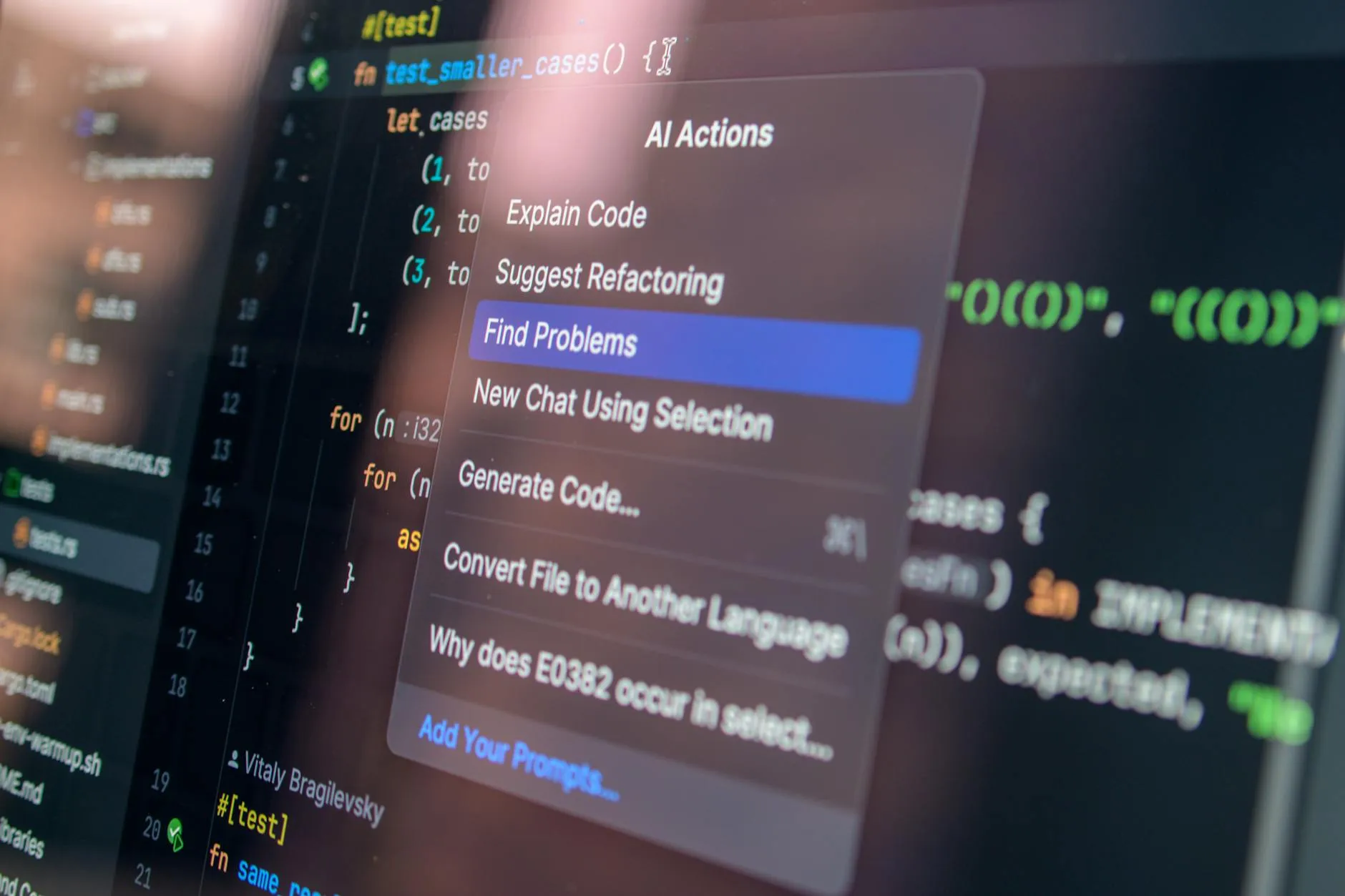
// JetBrains AI refactoring example
// Select a method → Right-click → AI Actions → "Refactor to use pattern matching"

// Before:
public String describe(Shape shape) {
    if (shape instanceof Circle c) {
        return "Circle with radius " + c.radius();
    } else if (shape instanceof Rectangle r) {
        return "Rectangle " + r.width() + "x" + r.height();
    }
    return "Unknown shape";
}

// After (AI-assisted):
public String describe(Shape shape) {
    return switch (shape) {
        case Circle c -> "Circle with radius " + c.radius();
        case Rectangle r -> "Rectangle " + r.width() + "x" + r.height();
        default -> "Unknown shape";
    };
}
Verdict: Not as flashy as Cursor, but if you live in JetBrains IDEs, this keeps you productive without disrupting your workflow. The $10/month add-on is reasonable.
7. Kilo Code — Best Open-Source, Model-Agnostic Alternative
Kilo Code is the open-source alternative for developers who want full control. It supports BYOK across any model provider — OpenAI, Anthropic, Google, local Ollama, or even custom endpoints.
Why switch from Cursor to Kilo Code?
- Truly model-agnostic — No vendor lock-in; use any LLM
- Open-source — Audit the code, contribute, self-host
- Multi-IDE support — Works in VS Code, JetBrains, and CLI
- Agentic workflows — File editing, terminal commands, browser interaction
- Zero subscription cost — Pay only for the API tokens you consume
Pair Kilo Code with Galaxy.ai to access 3,000+ AI models through a single API key. Instead of juggling multiple API subscriptions, Galaxy.ai gives you one unified endpoint that Kilo Code can connect to — try Claude, GPT-4, Gemini, and open-source models without separate accounts.
// Kilo Code configuration with Galaxy.ai as provider
{
  "providers": [
    {
      "name": "galaxy",
      "type": "openai-compatible",
      "baseUrl": "https://api.galaxy.ai/v1",
      "apiKey": "your-galaxy-api-key",
      "models": ["claude-sonnet-4", "gpt-4o", "gemini-2.5-pro"]
    },
    {
      "name": "local",
      "type": "ollama",
      "baseUrl": "http://localhost:11434",
      "models": ["deepseek-coder-v3", "codellama-70b"]
    }
  ]
}
Verdict: The power-user's choice. If you want complete control over your AI coding stack with zero vendor lock-in, Kilo Code is the most flexible option available.
8. OpenAI Codex — Best for Cloud-Native Autonomous Tasks
OpenAI's Codex isn't an IDE — it's a cloud-native autonomous coding agent. You give it a task, and it spins up a sandboxed environment, writes code, runs tests, and delivers results. Think of it as a coding contractor you can fire and forget.
Why switch from Cursor to Codex?
- Fully autonomous — No babysitting; describe the task and come back to results
- Sandboxed execution — Each task runs in an isolated environment with its own runtime
- 90+ plugins — Computer use, memory, web browsing integrated
- GitHub integration — Can create PRs directly from completed tasks
# OpenAI Codex task example
codex "Add dark mode support to the entire application.
- Use CSS custom properties for theme tokens
- Add a ThemeProvider context
- Persist preference to localStorage
- Respect prefers-color-scheme media query
- Update all 12 components to use theme tokens"

# Codex spins up a sandbox, clones your repo, makes changes,
# runs your test suite, and opens a PR — all autonomously
Verdict: If you want to offload entire coding tasks rather than pair-program, Codex's autonomous approach is unique. Less interactive than Cursor, but powerful for batch work.
9. Replit — Best for Beginners and Rapid Prototyping
Replit isn't competing with Cursor on professional coding — it's going after a different audience entirely. Its AI Agent can take a natural language description and build an entire working application from scratch, deploy it, and give you a live URL.
Why switch from Cursor to Replit?
- Zero setup — Everything runs in the browser; no local installation
- Full-stack generation — From description to deployed app in minutes
- Built-in hosting — Apps deploy automatically with a URL
- Collaborative — Real-time multiplayer editing
# Replit Agent prompt example:
"Build a recipe sharing app where users can:
- Sign up and create profiles
- Post recipes with photos and ingredients
- Search and filter by cuisine, dietary restrictions
- Save favorites and create meal plans
Use PostgreSQL, Express, and React."

# Replit Agent will:
# 1. Set up the project structure
# 2. Create the database schema
# 3. Build API routes and React components
# 4. Deploy to a live URL
Verdict: Not a Cursor replacement for professional development, but unbeatable for quick prototypes, hackathons, and learning. The free tier is generous enough to get started.
10. Amazon Q Developer — Best for AWS-Native Development
If your stack lives on AWS, Amazon Q Developer (formerly CodeWhisperer) offers AI assistance that actually understands your cloud infrastructure. It can suggest IAM policies, optimize Lambda functions, and troubleshoot CloudFormation templates.
Why switch from Cursor to Amazon Q?
- AWS-native intelligence — Understands your specific AWS services and configurations
- Security scanning — Identifies vulnerabilities in your code with AWS-specific context
- Infrastructure as Code — Generates and debugs CloudFormation, CDK, and Terraform
- Free tier available — Individual plan is free with generous limits
// Amazon Q generates AWS-optimized code
// Ask: "Create a Lambda function that processes S3 uploads and stores metadata in DynamoDB"

import { S3Event, Context } from 'aws-lambda';
import { DynamoDBClient, PutItemCommand } from '@aws-sdk/client-dynamodb';
import { S3Client, HeadObjectCommand } from '@aws-sdk/client-s3';

const dynamo = new DynamoDBClient({});
const s3 = new S3Client({});

export const handler = async (event: S3Event, context: Context) => {
  for (const record of event.Records) {
    const bucket = record.s3.bucket.name;
    const key = decodeURIComponent(record.s3.object.key.replace(/+/g, ' '));

    const headResponse = await s3.send(new HeadObjectCommand({ Bucket: bucket, Key: key }));

    await dynamo.send(new PutItemCommand({
      TableName: process.env.METADATA_TABLE!,
      Item: {
        pk: { S: `FILE#${key}` },
        bucket: { S: bucket },
        size: { N: String(record.s3.object.size) },
        contentType: { S: headResponse.ContentType || 'unknown' },
        uploadedAt: { S: new Date().toISOString() },
        etag: { S: record.s3.object.eTag || '' },
      },
    }));
  }

  return { statusCode: 200, body: 'Processed' };
};
Verdict: A no-brainer if your team is all-in on AWS. The free tier and AWS-specific intelligence make it uniquely valuable. Not a general Cursor replacement, but dominant in its niche.
Head-to-Head: Feature Comparison Matrix
| Feature | Cursor | Claude Code | Windsurf | Copilot | Zed | Kilo Code |
|---|---|---|---|---|---|---|
| Agentic Mode | ✅ | ✅✅ | ✅ | ✅ | ⚠️ Basic | ✅ |
| Multi-file Edits | ✅ | ✅ | ✅ | ✅ | ⚠️ | ✅ |
| Context Memory | Per-session | SKILL.md + memory | Cross-session | Per-session | Per-session | Per-session |
| BYOK Models | Limited | ❌ (Anthropic only) | Limited | ❌ | ✅ | ✅✅ |
| Terminal-native | ❌ | ✅ | ❌ | ❌ | ❌ | ✅ |
| Open Source | ❌ | ❌ | ❌ | ❌ | ✅ | ✅ |
| Offline/Local Models | ❌ | ❌ | ❌ | ❌ | ✅ | ✅ |
| Background Agents | ❌ | ✅ | ❌ | ❌ | ❌ | ❌ |
| Price (Individual) | $20/mo | $20/mo | $15/mo | $10/mo | Free | Free |
Common Mistakes When Switching from Cursor
1. Expecting identical workflows
Each tool has its own strengths. Don't try to use Claude Code like Cursor — embrace terminal workflows. Don't force Copilot into agentic tasks — use it for inline completions and PR reviews.
2. Ignoring context setup
Cursor auto-indexes your project. Other tools need explicit setup: Claude Code needs .claude/ configuration, Zed needs settings.json, Kilo Code needs provider configuration. Invest 10 minutes upfront.
# Claude Code: Set up project context
echo "This is a Next.js 16 app with App Router, TypeScript,
Tailwind CSS, and Prisma ORM. Follow existing patterns
in src/components/ for new components." > CLAUDE.md
3. Not leveraging unique features
Every alternative has something Cursor doesn't. Claude Code has background agents. Windsurf has cross-session memory. Zed has native multiplayer. Use what makes each tool special.
4. Switching cold turkey
Run your new tool alongside Cursor for a week. Use the alternative for one specific task (e.g., refactoring, testing, new features) and gradually expand. Many developers end up using 2-3 tools for different tasks.
5. Forgetting to migrate your prompt patterns
Your Cursor prompt techniques won't always transfer directly. Each AI model responds differently. Spend time learning what prompts work best for your new tool.
# Claude Code prompt patterns (different from Cursor):
# ❌ "Fix this code" (too vague)
# ✅ "The UserProfile component re-renders on every keystroke
#     in the search bar. Profile and search are siblings under
#     Dashboard. Fix the unnecessary re-renders without
#     changing the component hierarchy."
Which Alternative Should You Pick?
Here's the decision tree:
- Want the most powerful AI brain? → Claude Code
- Want the most similar experience to Cursor? → Windsurf
- On a team using GitHub? → GitHub Copilot
- Want speed and open-source? → Zed
- Using JetBrains IDEs? → JetBrains AI Assistant
- Want full model freedom? → Kilo Code (+ Galaxy.ai for model access)
- Need autonomous batch work? → OpenAI Codex
- Building on AWS? → Amazon Q Developer
- Prototyping or learning? → Replit
- In the Google ecosystem? → Antigravity
The best part? Unlike 2024, you're no longer stuck with one tool. Most developers in 2026 use 2-3 AI coding tools for different tasks. Claude Code for complex refactors, Copilot for daily inline suggestions, and maybe Replit for quick prototypes. Mix and match based on your workflow.
FAQ
Is Cursor still worth paying for in 2026?
Yes, Cursor remains a solid choice — especially if you're already invested in its workflow. But with alternatives like Windsurf offering similar features at a lower price, and Claude Code providing superior agentic capabilities, it's worth evaluating whether you're getting the best value. The AI coding tool market is competitive enough that no single tool dominates every use case.
Can I use multiple AI coding tools at the same time?
Absolutely. Many developers use GitHub Copilot for inline suggestions in their IDE while running Claude Code in a separate terminal for complex refactoring tasks. The tools don't conflict. Just be mindful of costs if you're paying for multiple subscriptions — that's where BYOK tools like Zed and Kilo Code shine.
What's the best free alternative to Cursor?
Zed is the best free alternative for professional developers — it's open-source, fast, and supports BYOK models. Kilo Code is another strong free option with more agentic capabilities. If you're willing to pay only for API tokens (typically $5-15/month for moderate usage), these tools offer a better cost-to-value ratio than Cursor's fixed subscription.
Is Claude Code better than Cursor for large codebases?
Yes. Claude Code's 1 million token context window means it can analyze significantly larger portions of your codebase in a single interaction. For monorepos or projects with 500+ files, Claude Code consistently outperforms Cursor in understanding cross-file dependencies and making coherent multi-file changes.
Will switching from Cursor slow down my workflow?
Temporarily, yes — any tool switch has a learning curve. Budget 1-2 weeks to adapt. The key is to switch gradually: use your new tool for one specific task type while keeping Cursor for everything else. Most developers report equal or better productivity within 2-3 weeks of switching to Claude Code or Windsurf.
Where Cursor is still the right call (honest take)
Cursor isn't dethroned. It's just no longer the only answer. Three workflows where Cursor still wins in 2026:
- Heavy refactors with visual diff review. Cursor's inline diff UX beats every CLI-based alternative including Claude Code.
- Teams already paying for Cursor Business. The org-level prompt rules, audit log, and SSO are mature; switching tax is real.
- Designers and PMs in your repo. Cursor's GUI lowers the barrier for non-engineers shipping prototypes. Terminal-first tools scare them off.
The AI-editor wars aren't about features anymore. They're about agent autonomy — how long the tool runs unattended before you intervene. Cursor's been outflanked there. For human-in-the-loop work, it's still the safe choice.
The AI editor that ships your code in 2026 isn't the smartest one — it's the one that matches your shipping cadence. Pick by workflow, not by hype.
Không spam, hủy đăng ký bất kỳ lúc nào.
Bài viết liên quan


Chống lừa đảo bằng AI trên Android: bật gì, chạy ở đâu
14 thg 10, 2026